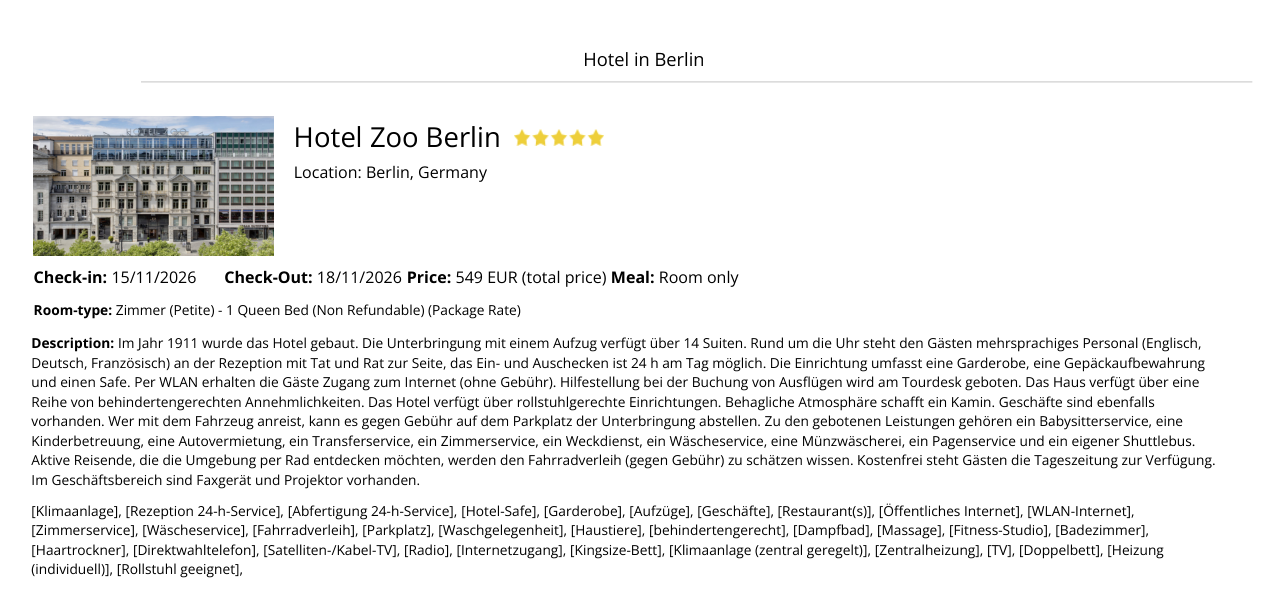
Send a hotel quote with travel dates and price as a PDF or by email to your customers — directly from the S-E-T-T Hub, before booking.
Collect rooms from your search, adjust the price (e.g. your service fee) and send the finished quote with your agency's logo to your customer — as a PDF or directly by email.
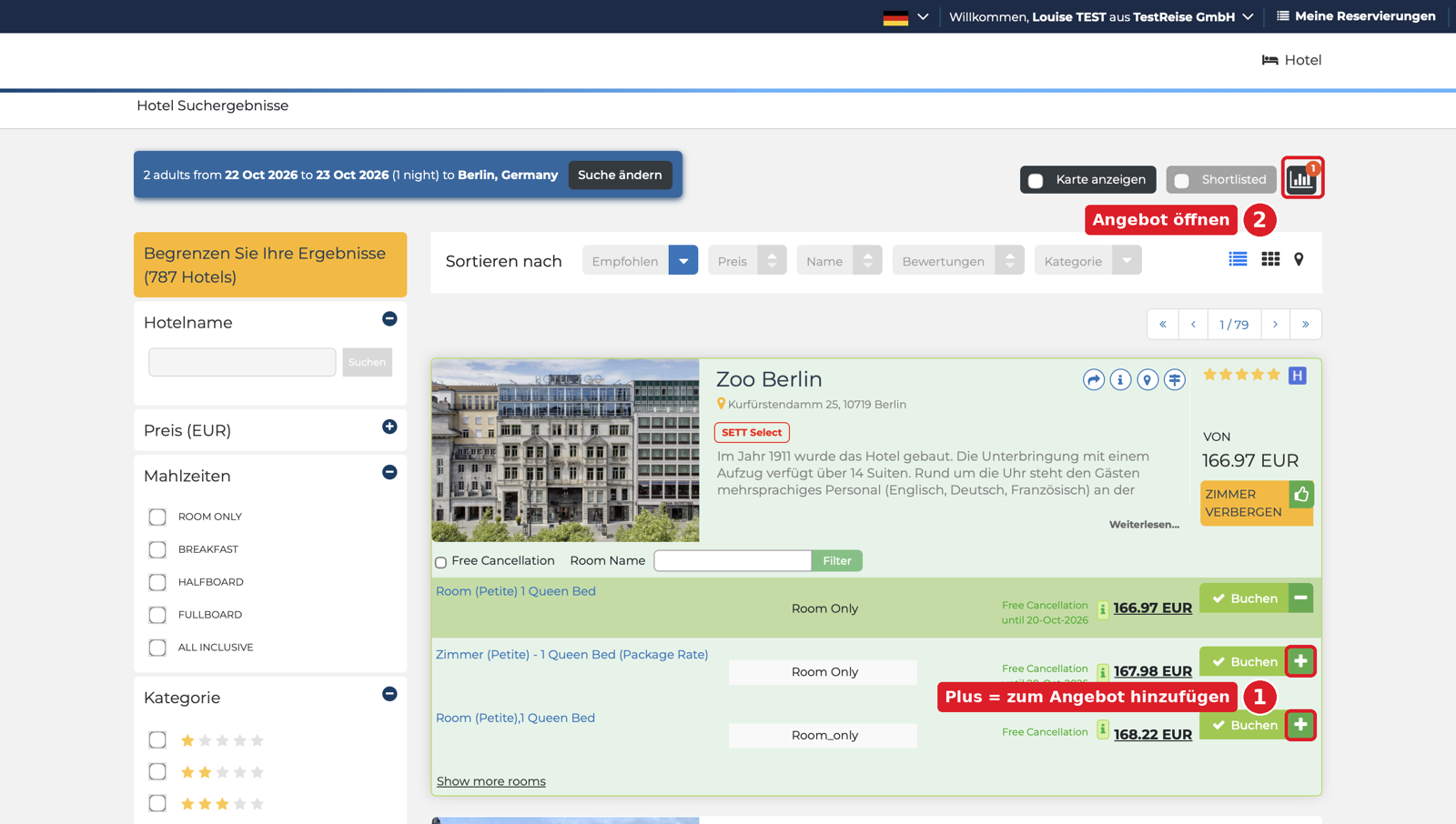
Search for hotels as usual and open the room list of the hotel you want. To the right of each "Book" button sits a plus sign (+). One click puts the room into the quote. The plus turns into a minus, which removes the room again.
You can collect several rooms and several hotels, even from different searches — so your customer receives a selection in a single quote.
At the top right, next to "Shortlisted", a dark field with a bar icon appears. The red number shows how many rooms are in the quote. One click opens the "Price quote" window.
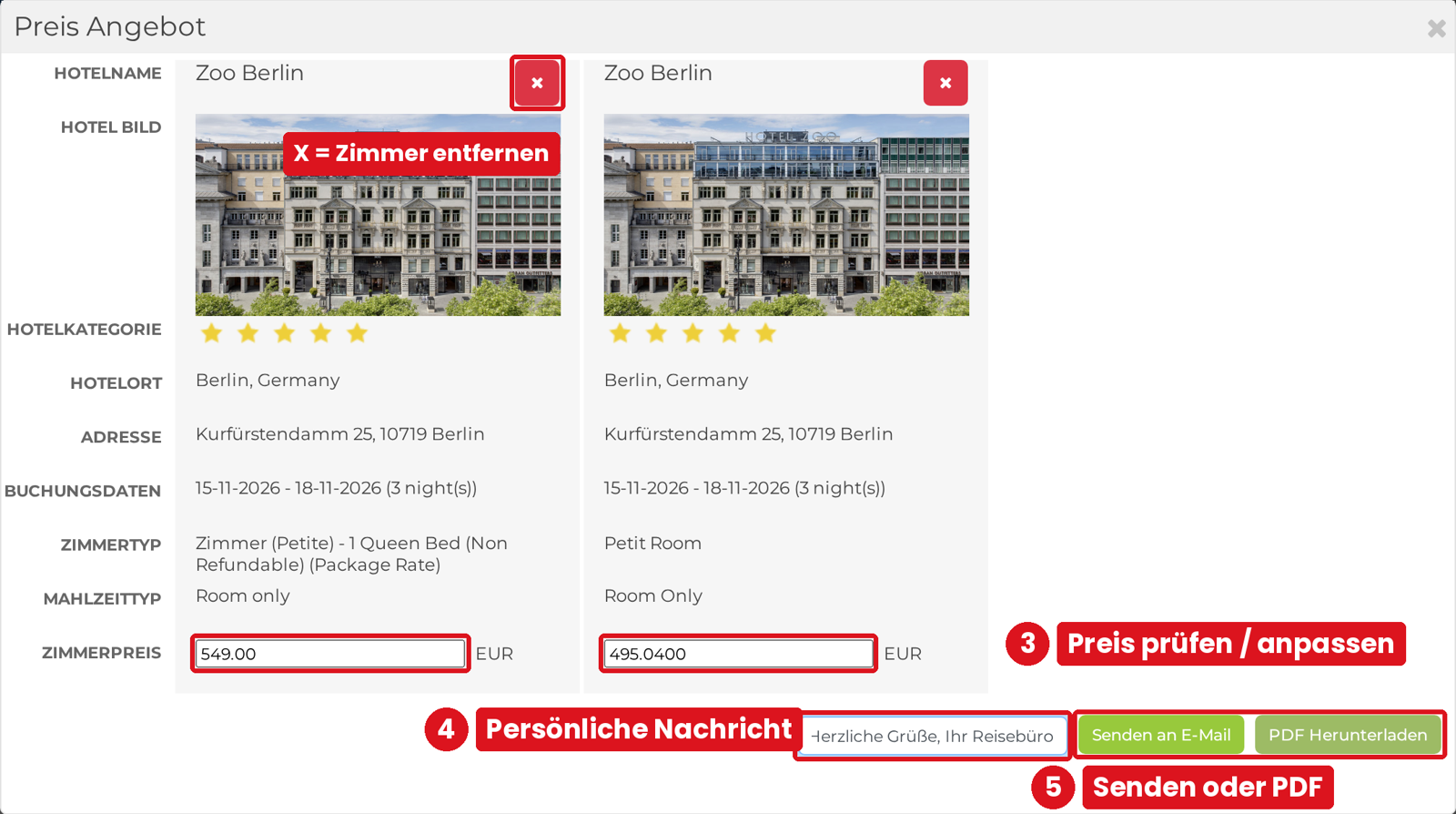
The "Price quote" window shows hotel, category, address, travel dates, room type, meal plan and room price per room. The room price is the total price for the entire stay and matches the price from the result list.
The price field is editable, e.g. to add a service fee. The changed price appears in the PDF or in the email to the customer — it does not change your purchase price for the later booking. The red X removes a room from the quote.
Enter a short message to your customer in the "Type text" field at the bottom. It appears in the PDF under "Comments".
"Send to email" sends the quote to your customer directly from the portal. "Download PDF" saves it as a PDF you can forward or print yourself.

The PDF contains one page per room with your agency's logo, hotel photo, stars, travel dates, price, room type, meal plan, hotel description and facilities. The labels in the PDF (Check-in, Price, Room-type …) are in English.

Your contact: Louise Drechsel, Sales Germany · +49 176 622 380 61
Write to louise@s-e-t-t.com →